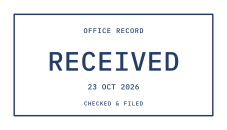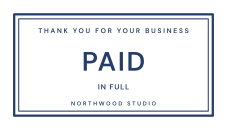
Give the status the largest voice
Use the center line for PAID, RECEIVED or another short sample status. A brief detail such as IN FULL can help demonstrate the layout. Keep the example name and date in smaller lines, and visibly label any sample invoice SAMPLE or DEMO so it cannot be mistaken for a real transaction record.
For a reusable demo graphic, leave example dates outside the design. If a mockup needs a date, type it into a supporting field. Dates are ordinary editable text: the editor does not read invoice data, update the date automatically or connect the stamp to a payment record.
Use color and texture with a purpose
Templates start in blue, and the named color buttons include red and black for familiar paperwork styles. Choose a color that is distinct from the document text while keeping enough contrast with the page. A small rotation can suggest a hand-applied impression, but check that it does not cover nearby wording after placement.
The Aging effect control adds transparent wear at a strength from 0 to 100. Start with a low amount for small status marks. Broad PAID lettering can tolerate more texture than a small date or invoice reference. The same design settings keep the wear pattern consistent across its exports.
Place the file in a sample invoice or demo PDF
Choose the $2 PNG option when you need a transparent image for a sample layout. The finished PNG is generated at 300 DPI for the selected millimeter width. Use your design software, word processor or PDF editor to position it; StampLoom creates artwork and does not edit or certify an invoice or PDF.
Keep the SAMPLE or DEMO label visible and avoid placing the graphic across the example text. Check the mockup after export from your other software, since image sizing and transparency handling can differ between applications.
Decide whether the date should be part of the purchase
One purchase unlocks the exact design captured at checkout. You can reuse that unchanged graphic in your mockups and demonstrations. If an example date is part of the stamp, a different date is a different design and needs a new purchase for its finished export. Keeping example dates in the surrounding layout can make a demo graphic easier to reuse.
Common questions
Does adding a PAID stamp confirm a payment?
No. These graphics are for entertainment, design and demonstration only. They do not verify payment or prove that money or goods were received. Use a clearly marked sample layout, and do not present the artwork as evidence of a real transaction.
Can I make a RECEIVED stamp instead?
Yes. Choose Received or replace the status text in another template. Review all sample date and supporting text before checkout. PNG costs $2, or all three formats cost $2.50 for that design.