Match the shape to the information
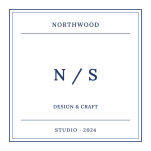
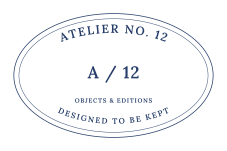
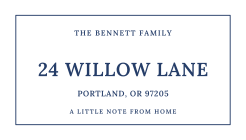
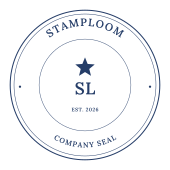
A circular seal works well for a short business name surrounding initials or a logo. A rectangle gives an address or several short lines more room. An oval can suit a wider brand name, while a square creates a compact monogram. There are 16 editable templates across these four shapes.
Decide whether the design shows a brand concept or a sample status label. A brand badge can use a name and a recognizable mark. A demo RECEIVED or PAID graphic needs its sample wording to be more prominent. These labels do not record or verify an administrative action.
Replace every sample detail
Enter the business name exactly as you want it shown, then review the lower line and small detail text. Templates contain example initials, dates and descriptions that should be replaced or cleared. An establishment year is optional; leave it out if it adds nothing to the intended use.
Text is laid out from your input, not generated as an AI image. You can correct a single character before buying an export. The bundled fonts support English, Simplified Chinese and Hindi; the editor flags unsupported characters. If your existing wordmark uses another script, you can include that lettering as an uploaded image.
Keep the brand recognizable
Use a transparent PNG when the logo should sit directly on the document background. Uploaded logos keep their own colors; changing the ink color affects the stamp lettering and borders. The logo is not automatically recolored or converted to vector paths.
Blue is the starting ink color. Six named colors and a custom picker let you match the surrounding stationery design. For a mockup, compare a clean border with a lightly distressed version at actual size. Heavy wear can hide fine details even when the enlarged proof looks attractive.
Proof the version you plan to use
Check spelling, logo placement and millimeter width before checkout. Use PNG in software that accepts transparent images, or choose SVG and PDF when you also need outlined artwork or a print-size page. Uploaded logos remain raster in those files.
A purchase covers the design captured at checkout. Later changes to a name, address or date do not alter that purchased file. Your working draft stays in this browser; signing in lets you save editable designs to your account library for future revisions.
Common questions
Does this make an official or verified company seal?
No. It makes artwork for entertainment, design and demonstration. Do not use it as an official seal or legal proof. It does not verify identity, certify documents or apply a cryptographic signature; you are responsible for your content and its use.
Can I order a rubber stamp here?
StampLoom supplies digital files only. If you plan to use an outside stamp manufacturer, check that supplier’s artwork, size and minimum line-width requirements before purchasing your export.