Choose what belongs in the center
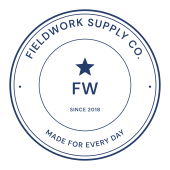
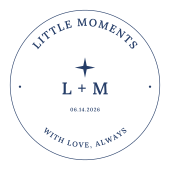
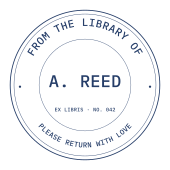
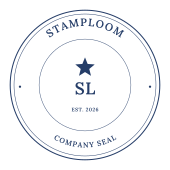
Use the upper arc for a company, shop or collection name. The lower arc can carry a location, short message or description. Keep the center for the part readers should notice first: initials, a short name or an uploaded logo.
For example, a book collection might use FROM THE LIBRARY OF around the top and the owner’s name in the center. A small brand can put its name around the edge and use a two-letter monogram inside. A date works better as a short detail line than as another competing headline.
Fit longer names without crowding the border
Curved text has limited space. After entering the complete name, inspect the first and last letters near the sides of the circle. Try tighter letter spacing, a different font or a shorter supporting line if the layout feels crowded. The editor supports English, Simplified Chinese and Hindi; check the warning before checkout if a character is outside the bundled fonts.
- Keep the main name and lower description visually separate.
- Leave clear space between the center mark and the curved lettering.
- Check the smallest lettering at the intended printed size, not only at a zoomed-in preview.
Choose a clean seal or worn ink
Templates begin in blue. Choose Blue, Red, Dark red, Black, Green or Sepia, or set a custom color. A double border gives the circle more weight; a single border leaves more visual space around the lettering.
Turn on Aging effect for an aged impression and adjust its strength from 0 to 100. The effect removes small areas of ink with transparent holes, rather than covering the design in white. Use a lighter setting when the stamp contains fine lettering or a detailed logo.
Set the size before downloading
The millimeter setting describes the export canvas width, including a small clear margin around the artwork. A round canvas has equal width and height. Choose transparent 300-DPI PNG for placing the stamp in a document, or the all-formats option for outlined SVG and vector PDF as well. Print the PDF at actual size to retain the chosen dimensions.
Common questions
Can I use my own logo inside the circle?
Yes. Upload a PNG, JPG or WebP up to 5 MB, then move and scale it in the Logo controls. A transparent PNG avoids a rectangular background. Uploaded artwork remains a raster image inside SVG and PDF exports.
Is the finished round stamp free?
Editing and previewing are free, including a watermarked preview download. A finished transparent PNG costs $2; PNG, SVG and PDF together cost $2.50 for the purchased design.