Microsoft Word
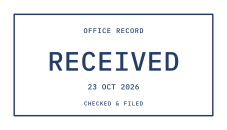
Choose Insert › Pictures and select your StampLoom PNG. Open Layout Options and pick In Front of Text so you can drag the stamp anywhere on the page. On the Picture Format tab, type an exact width, for example 4.5 cm for a 45 mm stamp.
Keep the artwork clear of the text readers need, and label demonstration documents as samples wherever they could be mistaken for real ones.
Google Docs
Choose Insert › Image › Upload from computer. Select the image, choose In front of text in the toolbar, then drag it into place. Image options › Size & rotation lets you set a width. Google Docs keeps PNG transparency, so the page shows through around the ink.
PDF files
In Adobe Acrobat, use Edit PDF and Add image, or save the PNG as a reusable custom stamp from the Stamp tool. In Preview on a Mac, you can paste a copied PNG onto a page and then drag and resize it. Other PDF editors usually call this Add image or Insert picture.
Save a copy first so the original PDF stays unchanged.
Get the cleanest result
A few habits make a stamped document look deliberate rather than pasted on.
- Use the transparent PNG for documents and SVG for design software.
- Set the size before printing, then print at 100%.
- If the stamp looks blurry, export a larger width instead of stretching a small image.
- Never place a stamp that suggests approval, payment or authority you do not have.
Common questions
Why does my stamp have a white background?
The file may have been converted to JPG or copied as a screenshot. Insert the original PNG from your StampLoom order; it has a transparent background.
Can StampLoom add the stamp to my PDF for me?
No. StampLoom creates the stamp file. Place it with Word, Google Docs, Preview, Acrobat or another document editor you already use.